

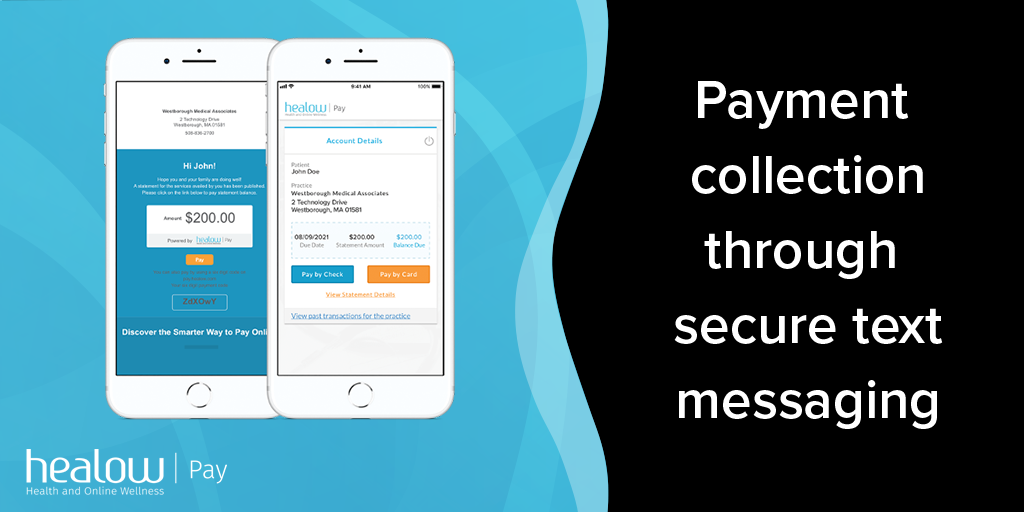
You can pay medical bills through healowPay.com using a statement code, personal info verification, or your provider’s patient portal.
Official link:
- Healow Pay: https://healowpay.com (accessed via provider statements or “Bill Pay” buttons)
1. Pay with a Statement Code (Fastest)
Use this if you have a paper statement or a text/email with a code.
- Go to healowpay.com in your browser.
- Select the Statement Code option.
- Enter:
- The Statement Code from your bill or text
- Your Last Name
- Click Login to view your balance, then choose Pay and complete payment by card or e‑check (ACH).
You can usually also see View statement, View past transactions, and Pay by card / Pay by check in the account details screen.
2. Pay Without a Statement Code
Use this if you lost the paper bill or never received a code.
- On healowpay.com, click “Personal Info” or the link such as “Click here if you do not have the Statement Code”.
- Enter:
- First Name
- Last Name
- Date of Birth
- Phone Number
- Choose a verification method (text or voice), receive a one‑time code, and enter it when prompted.
- After verification, your Billing Summary appears; click Pay to pay by card or check (ACH).
3. Pay via Text Link or Patient Portal
Many practices send secure text links or use the healow Patient Portal.
- Text message link:
- Open the text from your practice; tap the secure link or use the code and go to healowpay.com.
- Verify with your name/DOB/phone and one‑time code, then tap Pay to complete payment.
- Patient Portal / healow app:
- Log into your provider’s healow Patient Portal (often linked from their website) or the healow mobile app.
- Click “See Statement Details and Pay this Bill” or similar billing link to pay from within your portal session.
- The healow mobile app supports copay payments directly under appointment details (Pay Copay), while full statement payments often redirect you to healowPay in the browser.
4. Payment Methods, Timing, and Security
- Payment methods: Major credit cards (Visa, Mastercard, AmEx, Discover), debit cards, and electronic checks/ACH from checking or savings are commonly accepted.
- Availability window: Many statements remain payable online for about 60 days after being issued; if a newer statement is generated, older ones may drop off the online view.
- Security: healow Pay uses secure, tokenized processing; you can make one‑time payments without creating a username/password, using only your code or verified identity.
You will typically get an on‑screen confirmation and an email receipt with the amount, date, and confirmation number; keep these for your records.
FAQs About HealowPay.com Bill Payment
1. What do I need to pay a bill on healowPay.com?
Either a Statement Code + last name, or your name, DOB, phone number, and a one‑time verification code sent via text/voice.
2. Can I pay without my paper statement?
Yes. Use the “no statement code”/Personal Info option and verify your identity, or use the secure text/email link your provider sent.
3. Is the healow app enough to pay all bills?
The app is ideal for copays and some balances, but many full statement payments still route you to the browser at healowpay.com.
4. What if my Statement Code doesn’t work?
Double‑check the code and that the statement isn’t expired; if it still fails, contact your provider’s billing office, as practices must sync codes correctly with healow Pay.
5. How long until my payment posts?
Most payments post within 1–2 business days and will appear in your billing history on healowPay or your provider portal.
6. Can I see statements from multiple providers?
Yes, if multiple practices use healow Pay for you, you can see and manage those statements in one place once you authenticate for each provider.