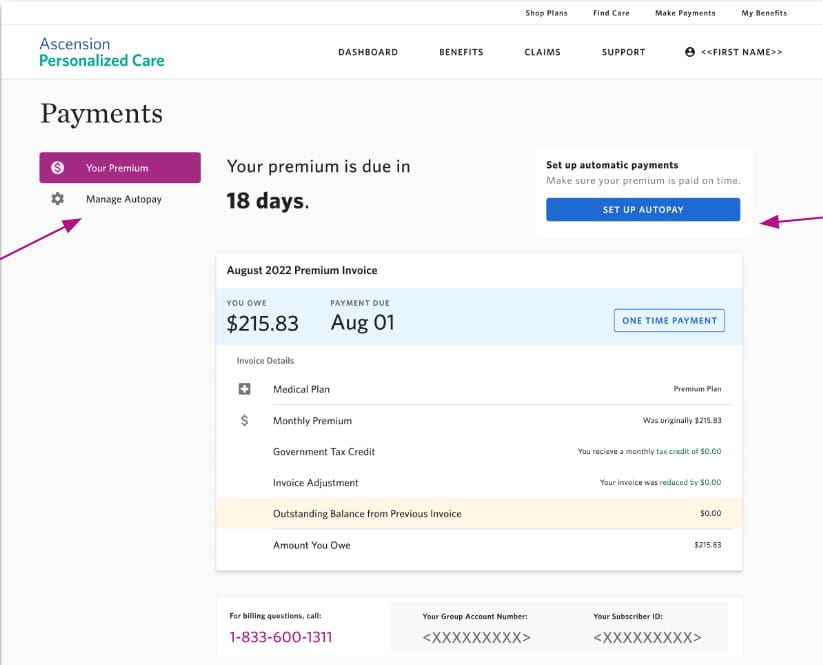
Pay your Ascension healthcare or hospital bill quickly and securely using the official VisitPay portal. Check balances, make one-time payments, set up payment plans, and apply for financial assistance with ease.
- Pay Ascension Bill Online – Guest Pay (One-time payment without full account login – use statement and Responsible Party Account ID)
- Ascension One / VisitPay Login (Register or log in for full access to pay bills, view statements, and manage payment plans)
How to Pay Your Ascension Health Bill
Ascension Health (including hospitals and doctor’s offices across multiple states) offers convenient online bill pay through VisitPay and the Ascension One platform. You can pay hospital bills or doctor’s office bills securely online, by phone, or set up payment arrangements. Portals may vary slightly by state or facility.
Login to Pay or Guest Pay
Guest Pay (one-time payment) is available without creating an account:
- Visit the Guest Pay section and enter your statement details and Responsible Party Account ID (found on your bill).
For full features including payment history, payment plans, and paperless statements:
- Log in or register for Ascension One / VisitPay.
Access: Ascension VisitPay
Pay by Phone
Main Billing Support Number: 833-470-9053
Available Monday–Friday, 7:00 AM – 5:00 PM CT (excluding holidays).
Many locations also provide specific phone numbers for hospital bills vs. doctor’s office bills. Check your statement for the exact number or call the main support line for assistance with payments and payment plans.
Payment Address (Mail)
Mail checks or money orders to the remittance address printed on your monthly statement. Include your account number or invoice details for proper processing. Allow sufficient time for mail delivery.
In-Person or Pay in Store
In-person payments can be made at Ascension hospital or clinic billing offices during business hours. Contact your local facility for specific locations and hours. There are no widespread retail “pay in store” partners for Ascension bills.
Ascension Mobile App & Payment Assistant
Use the Ascension One app or mobile-friendly VisitPay portal (available on Apple App Store and Google Play for Ascension One) to:
- Pay your bill securely from your phone
- Set up or manage payment plans
- View balances, statements, and payment history
- Receive billing notifications
The platform supports convenient payment options including one-time payments and longer-term financing plans.
Payment Plans and Financial Assistance
Ascension offers flexible payment plans through VisitPay/Ascension One to fit your budget. You can also apply for financial assistance (charity care) for medically necessary care if you qualify.
Contact billing support or use the online portal to start the process.
Fees and Late Payments
- Ascension generally does not charge convenience fees for standard online payments through the official VisitPay portal.
- Late or unpaid balances may lead to collection actions. Setting up a payment plan helps avoid issues and keeps your account in good standing.
- Partial payments or missed payments can affect future visits.
Pay promptly or contact support early to discuss options.
Contact Ascension Health Billing
- Billing Support: 833-470-9053 (Mon–Fri, 7:00 AM – 5:00 PM CT)
- Financial Assistance Inquiries: Use the number on your statement or the main billing line
- Official Billing Page: healthcare.ascension.org/billing
- Ascension One Portal: www.ascension.visitpay.com
Have your statement or account ID ready when calling. Phone numbers may vary by state or facility type (hospital vs. doctor’s office).
Frequently Asked Questions
How do I pay my Ascension health bill online?
Use the VisitPay portal at ascension.visitpay.com. You can make a one-time guest payment or log in to Ascension One for full account management and payment plans.
Can I make a guest payment for my Ascension bill?
Yes. The Guest Pay option allows quick one-time payments without full registration. You will need your statement and Responsible Party Account ID.
What is the phone number for Ascension billing support?
Call the main billing support line at 833-470-9053 (Monday–Friday, 7:00 AM – 5:00 PM CT). Specific numbers for hospital or doctor’s office bills may appear on your statement.
How do I set up a payment plan with Ascension?
Log in to Ascension One / VisitPay or call billing support. You can arrange affordable payment plans directly in the portal.
Is there a mobile app for Ascension bill pay?
Yes. Use the Ascension One app or the mobile-friendly VisitPay portal to pay bills, manage payment plans, and view your account on your phone.
How do I avoid late fees or collections on my Ascension bill?
Pay on time through the online portal or set up a payment plan. Contact billing support early if you need financial assistance or more time.
Where do I mail my Ascension health payment?
Use the remittance address provided on your monthly statement. Include your account or invoice number for proper crediting.
How do I apply for financial assistance at Ascension?
Apply through the Ascension One portal or contact billing support at 833-470-9053. Financial assistance is available for eligible patients for medically necessary care.
Information updated as of April 2026 from official Ascension sources. Portals and phone numbers can vary by state and facility. Always verify details directly on healthcare.ascension.org/billing or your statement for the most accurate information.