

You can pay a Quest Diagnostics bill online using your lab code and invoice number, by phone through 1‑866‑MYQUEST, or by mailing a check or money order to the address on your statement, and Quest also offers payment plans and financial assistance for eligible patients.
1. Pay Your Quest Bill Online
- Patient online bill pay:
- Use the Quest Online Bill Pay site (often listed as patientbill.questdiagnostics.com or linked as “Pay Bill” from the Billing & Insurance page).
- On the payment screen, enter your Lab Code and Invoice Number exactly as printed on your paper bill, then click Submit.
- Review your balance and pay securely using the payment options shown (typically major credit/debit cards and sometimes HSA/FSA cards).
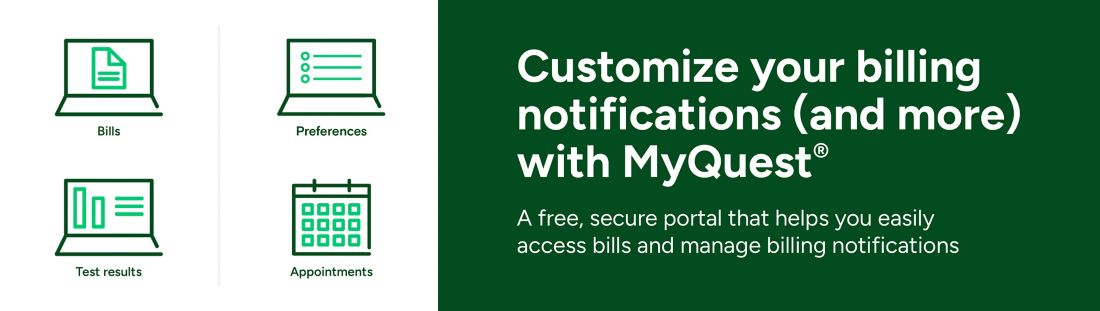
- MyQuest account (optional):
- Provider / client invoices:
- If you are a physician or hospital paying a Quest invoice, use the Client Billing portal at billing.questdiagnostics.com and enter your lab code and invoice number.
- If you accidentally enter a patient invoice there, the system will redirect you to the patient payment website.
2. Pay by Phone
- Call 1‑866‑MYQUEST (1‑866‑697‑8378) to reach Quest Diagnostics billing support.
- Representatives can:
- Take a payment over the phone.
- Help you locate your lab code or invoice number.
- Discuss payment plan options or update your insurance information.
Billing hours are generally standard weekday business hours (check your bill or the Billing & Insurance page for current times).
3. Pay by Mail
- Follow the instructions on your paper statement:
- Send a check or money order (no cash) to the “Send Payments To” address printed on your bill.
- Enclose the payment coupon(s) from your bill.
- Write your invoice number(s) on the check or money order so Quest can apply the payment to the correct account.
If your bill came via a partner like Diagnostic Laboratory of Oklahoma (DLO), their bill-pay page may still route you through the same Quest online portal while using the local billing address for mail payments.
4. Payment Plans and Financial Assistance
Quest has programs for patients who cannot pay their bill in full at once:
- Payment plans:
- Quest and affiliated programs describe monthly installment plans, often with 0% financing for up to 12 months in some financial assistance programs.
- You usually must call 1‑866‑MYQUEST (or the number on your bill) to request a payment arrangement and agree on an amount you can pay each month.
- Financial Assistance Program:
- Quest offers financial assistance based on federal poverty level (FPL) guidelines and other criteria.
- For certain specialized tests (like hereditary cancer testing), Quest materials note that:
- To apply, patients must typically:
- Meet income requirements.
- Ensure their insurance requirements (pre‑authorization, etc.) are met if insured.
- Complete and submit a financial assistance application form provided by Quest.
If you received a financial assistance letter or application with your bill, follow its instructions; otherwise, call 1‑866‑MYQUEST and ask about payment plans or financial assistance for your specific invoice.
5. Security and Third‑Party Bill‑Pay Warnings
Quest recommends using its own billing portal and phone/mail channels to pay bills:
- Paying through unofficial third‑party websites can introduce:
Always type Quest URLs directly (or use links from questdiagnostics.com) and verify that the address bar shows an official Quest domain (such as questdiagnostics.com or a documented Quest billing host) before entering payment details.
Quick FAQs: QuestDiagnostics.com Bill Pay
1. What website do I use to pay my Quest bill?
Use Quest’s own bill-pay portal (often patientbill.questdiagnostics.com) or follow the “Pay bill” link on the Billing & Insurance page at questdiagnostics.com, then enter your Lab Code and Invoice Number.
2. Where do I find my Lab Code and Invoice Number?
They are printed near the top of your Quest invoice; if you can’t find the lab code, call the customer service number printed on your bill or 1‑866‑MYQUEST.
3. Can I set up a payment plan with Quest?
Yes, many patients can arrange a monthly installment plan by calling the number on their invoice; some programs offer 0% financing for 12 months for qualified patients.
4. Does Quest offer financial assistance if I can’t afford my bill?
Yes. Quest’s Financial Assistance Program can reduce out-of-pocket costs or even bring them to 0 dollars for qualifying low‑income patients and certain tests, based on FPL and insurance criteria.
5. Who do I call if I have questions about my Quest bill?
Call 1‑866‑MYQUEST (1‑866‑697‑8378) to reach Quest billing support for questions, payment arrangements, or help with online bill pay access.